

PCB developer crystallization clogs pumps and lines when dissolved salts, dry-film residue, and alkaline developer solids leave the solution and build up on low-flow surfaces. The first result is usually lower circulation flow. The next result can be blocked nozzles, rising filter pressure, uneven developing, residual film, or open-circuit defects. Maintenance teams should treat the issue as a system problem, not only as a dirty pump.
Developer crystallization matters most in B2B wet-process lines that run sodium carbonate developer, solder mask developer, dry-film developer, or alkaline stripping chemistry. A pump may still run, but crystals can narrow the impeller passage, clog the discharge line, blind the filter cartridge, or collect in spray headers. A suitable chemical filter system helps, but the process also needs temperature control, clean shutdown habits, and correct circulation design.

What PCB Developer Crystallization Means
Crystallization means solids form from a liquid that can no longer keep all dissolved material in solution. In a PCB developer loop, this can happen when concentration rises, temperature drops, water evaporates, residue load increases, or flow becomes too slow. The solids do not always appear as large visible crystals. They may start as fine scale, cloudy deposits, or sticky residue on filters and pipe walls.
Why Developer Lines Are Sensitive
Developer lines are sensitive because the process already carries dissolved resist material, alkaline chemistry, and small particles from the panel surface. When the bath stays warm and mixed, the loop may look normal. When the line cools during a stop, some material can settle or crystallize. The next startup pushes that material into the pump, filter, nozzle, and return line.
QEEHUA local process notes identify sodium carbonate developer crystallization as a practical cause of impeller and pipeline blockage. The same notes connect flow loss with incomplete developing and PCB quality risk. This makes the topic important for plant managers, wet-process OEMs, and maintenance teams.
Why Pumps, Filters, and Lines Clog
Developer clogging rarely has one cause. It often comes from a chain of small problems. The tank runs slightly concentrated. The line has dead legs. The filter stays in service too long. The pump sits above the best suction position. The shutdown procedure leaves developer inside low points. Each issue adds another place for solids to grow.
Common Clogging Points
The pump inlet is a common starting point. A suction strainer, elbow, or small inlet pipe can collect deposits before the operator sees a pressure change. The impeller passage is another risk point. Crystals reduce the open area, so the pump moves less liquid even at the same motor speed. The filter then sees lower flow, higher differential pressure, or shorter cartridge life.
Nozzles and spray headers can also clog. This is a serious process risk. Uneven spray can leave residual dry film or solder mask in small areas. Operators may raise pump speed or pressure to compensate. That can make filter pressure and leakage risk worse. If pressure keeps rising, compare the symptoms with electroplating filter pressure troubleshooting, because filter restriction and crystallization often appear together.
| Observed problem | Likely crystallization link | Process risk | Corrective action |
|---|---|---|---|
| Flow falls after weekend shutdown | Developer cooled and solids settled in low points. | Weak spray and incomplete developing. | Drain or flush lines before long stops. Keep the tank mixed where the process allows it. |
| Filter pressure rises quickly | Fine crystals blind the cartridge or bag surface. | Short filter life and unstable circulation. | Check bath concentration, residue load, and pre-filtering strategy. |
| Pump runs but nozzles are weak | Impeller, suction path, or spray header has narrowed. | Residual film and uneven panel quality. | Inspect suction piping, pump wet end, and nozzle manifold before increasing speed. |
| Deposits return after cleaning | The root cause remains in temperature, concentration, or shutdown practice. | Repeated downtime and higher chemical waste. | Correct the operating window instead of only cleaning the pump. |
Symptoms Engineers Should Check First
Start with the trend, not only the pump. A developer line with crystallization usually shows a pattern. Flow drops slowly. Filter pressure rises faster than expected. Operators clean nozzles more often. The bath looks cloudy after idle time. The line may recover briefly after cleaning, then repeat the same fault.
Separate Crystallization From Pump Failure
A damaged pump can also lose flow, so teams should separate chemistry behavior from mechanical failure. Check whether the problem improves after flushing. Look for deposits in the filter housing, suction pipe, and spray header. Inspect the impeller for scale. If the motor current stays normal but flow drops, the line may be restricted rather than mechanically overloaded.
Also check air and gas. Bubbles can reduce flow and push deposits into the wrong places. If the line has air pockets, compare the pattern with PCB developer pump gas binding. Gas binding and crystallization can appear at the same time after poor shutdown or poor suction layout.
How to Prevent Developer Flow Loss
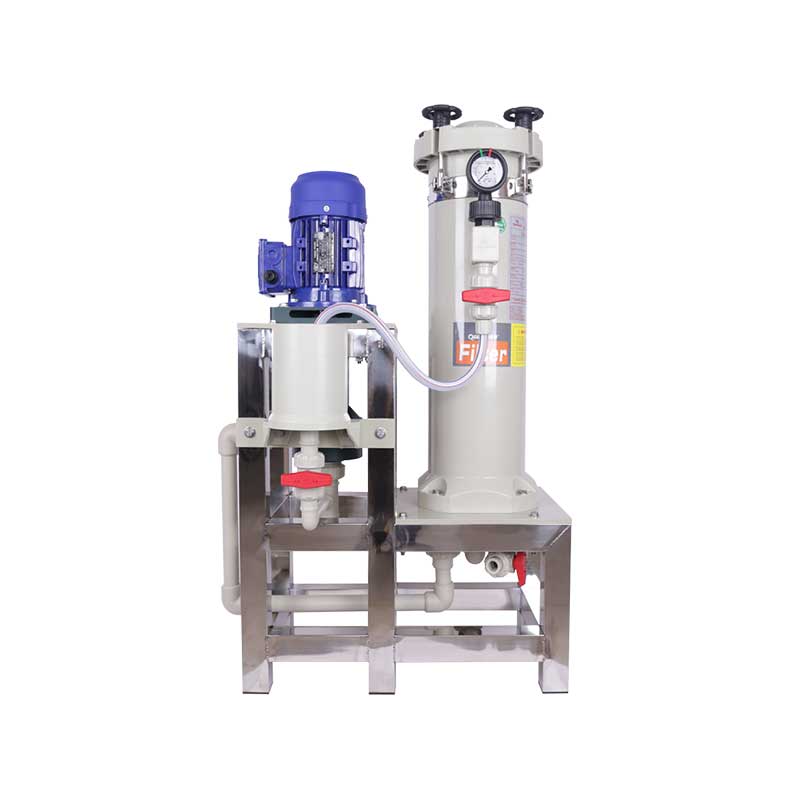
The strongest prevention plan starts before the line clogs. Keep developer concentration inside the process window. Control evaporation. Keep the bath mixed. Avoid long stagnant sections. Use a startup and shutdown checklist that prevents crystals from drying in the pump and pipework.
Control Temperature and Concentration
Temperature changes can reduce solubility and start deposits. Large concentration swings can do the same. Operators should track make-up water, replenishment, overflow, and drag-out. Do not wait until filter pressure climbs before checking chemistry. A small daily check is usually cheaper than a full line cleanout.
Improve Shutdown Practice
Shutdown practice matters. If the line stops for a shift change, weekend, or holiday, developer should not sit in dead legs or small tubes without a plan. Flush, drain, or keep circulation running according to the plant procedure. The right choice depends on chemistry, equipment design, wastewater rules, and production schedule.
Filtration also needs a clear role. A filter can catch particles and crystals, but it cannot fix unstable chemistry by itself. If the filter still lets solids pass or the bath remains dirty after filtration, compare the system with PCB chemical filter short circuit troubleshooting. A sealing fault, wrong flow path, or floating cartridge can hide the real issue.
Pump and Filter Selection Checks
For new equipment, confirm the developer chemistry before choosing the pump and filter. Check concentration, temperature, solids load, expected residue, normal flow, peak flow, suction condition, line length, nozzle pressure, filter area, and maintenance interval. Do not select only by motor power or pipe size.
Match Materials to Alkaline Developer
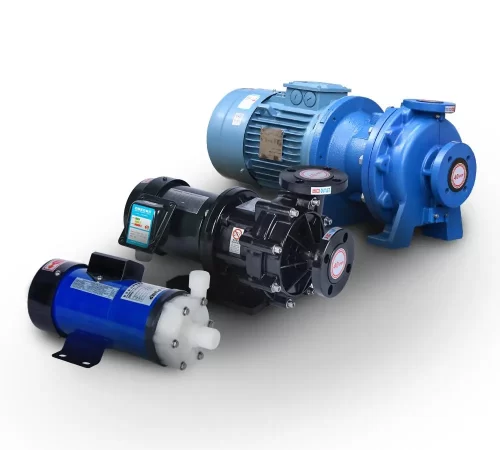
Material selection must fit alkaline service. QEEHUA product knowledge lists PP, PVDF, fluoropolymer options, ceramic shafts, SSIC components, EPDM, and FKM sealing materials across pump families. The right choice depends on the exact chemical. EPDM often fits many alkaline duties, while FKM fits many acidic duties. Always confirm compatibility against the actual developer formula and temperature.
Avoid Overspeed as a Quick Fix
Do not solve chronic clogging only by raising pump speed. Higher speed may move more liquid for a short time. It can also increase pressure, disturb deposits, and push more solids into the filter. If the pump deadheads or runs against a blocked path, review the protection logic in magnetic drive pump deadheading.
FAQ
What causes PCB developer crystallization?
Common causes include high concentration, cooling, evaporation, residue load, stagnant piping, poor shutdown practice, and low-flow areas where solids can settle.
Can crystallization make a pump lose flow?
Yes. Crystals can narrow the suction path, impeller passage, filter surface, nozzles, or spray header. The pump may run while delivered flow keeps falling.
Should maintenance increase pump speed when developer flow drops?
Not as the first step. Higher speed can raise pressure and push more solids into the filter. Inspect the suction path, pump wet end, filter, and nozzles first.
How can a plant prevent developer crystals during shutdown?
Use a written shutdown procedure. Flush, drain, or keep circulation running where the process allows it. Avoid leaving developer in dead legs and small tubes.
What data should be checked before selecting a developer pump?
Check developer chemistry, concentration, temperature, solids load, flow range, suction condition, nozzle pressure, filter area, pipe layout, and wet-end material compatibility.
PCB developer crystallization is easier to prevent than to clean after the line plugs. Keep chemistry stable. Remove stagnant zones. Choose compatible pump and filter materials. Use filtration as part of a wider circulation plan. This gives maintenance teams a better chance to keep developer flow steady and panel quality consistent.
